Sonntag, 26. August 2012

Xperia Tized Rom Android 2.3.7 Samsung Galaxy Ace Gt-S5830i

Xperia Tized Rom Android 2.3.7 Samsung Galaxy Ace Gt-S5830i


1) Copy the downloaded zip to your sd card.
2) Make sure your device is rooted and you have ClockWorkMod recovery installed.
3) Switch off your phone.
4) Reboot into recovery by pressing home+power button+volume up simultaneously
5) Wipe data/cache and dalvik cache
6) If you want to get old back make a backup. You must have 600 mb free space
7) Select 'install zip from sd card' 
8) Navigate to the downloaded file
9) Press home button
10) Scroll down to 'yes' using volume keys and press home button.
11) Wait till the flashing process is finished.
12) Reboot and Enjoy 

Xperia Tizes Rom: here

Clockworkmod: here


[REC] The Videogame Samsung Galaxy Ace Gt-S5830i

[REC] The Videogame Samsung Galaxy Ace Gt-S5830i


I Loves this Horror Shooter and works perfectly

[REC] The videogame is the official game of the popular and
acclaimed [REC] horror movies created by Filmax. In this FPS
(First Person Shooter) you become the reporter Angela Vidal
([REC]) and a G.E.O.S. soldier ([REC]2) to join the building where
strange incidents have been reported to be happening. Hopefully
you will be able to discover the mistery around the Medeiros Girl.
Complete the 27 missions, clear all the zombies before they
infect you.

Apk: http://www.datafilehost.com/download-2c206477.html

Data Part 1( 100 MB): http://www.mediafire.com/?tjmvg35l4q2mfbb
Data Part 2( 100 MB): http://www.mediafire.com/?9diik7q8xr9t67p
Data Part 3( 100 MB): http://www.mediafire.com/?625sdsw5coqmgst
Data Part 4( 25 MB): http://www.mediafire.com/?4l6f64u149jtgrx

Install apk and extract data files in sdcard/Android/Data/
After Extract data will be 950 MB larger....


Ethernal Legacy Fix Lags Close Samsung Galaxy Ace Gt-S5830i

Ethernal Legacy Fix Lags Samsung Galaxy Ace Gt-S5830i


1)Install the apk after installing click done and dont click open
2)install titanium backup pro
3)Paste the data files in sd/gameloft/games/here
4)Paste the titanium files in sd/Titanium backup/here
5)open titanium backup pro
6)select backup/restore
7)select the game
8)click restore
9)Select data only
10)run game


Enjoy

Titanium Backup Pro:

http://www48.zippyshare.com/v/91007084/file.html

TitaniumBackupfiles:

http://upwap.ru/1455740

Game here:
http://acegamer9974.blogspot.de/2012/08/eternal-legacy-samsung-galaxy-ace-gt.html

Freitag, 24. August 2012

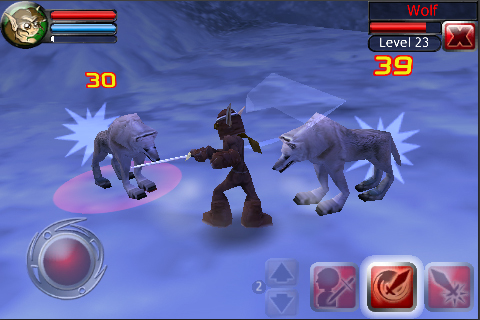
Crusade of Destiny HD Samsung Galaxy Ace Gt-S5830i

Crusade of Destiny HD Samsung Galaxy Ace Gt-S5830i


Best Action Rpg Game for android Phone

Mades from Earth and Legend

Play without Laggs

Install Apk and play


Video Cames

Fix Temple Run bug at collect Coins Samsung Galaxy Ace Gt-S5830i

Fix Temple Run bug at collect Coins Samsung Galaxy Ace Gt-S5830i

Fix this Bug at collect coins watch video

Guide go left then right then again left right


Donnerstag, 23. August 2012

Gangster 2 Miami Vindication(Fixed Bugs) Samsung Galaxy Ace Gt-S5830i

Gangster 2 Miami Vindication(Fixed Bugs) Samsung Galaxy Ace Gt-S5830i


1.Download Apk+Data
2.Now Download Titaniumbackup and the Titanium backupfiles
3.Now open Titanium Backup and select Backup/Restore
4. Find Now The Gangster 2 Miami Vindication app and click there to restore apk+data
5. now delete the app and install the normal apk if you want have to play without lags
6.Now you can play the game without Laggs
7. Enjoy

Apk+Data: here
Titaniumbackup Files: here
Apk: here


Fpse(Ps1) Samsung Galaxy Ace Gt-S5830i

Fpse(Ps1) Samsung Galaxy Ace Gt-S5830i

working without laggs

install apk:http://www.mediafire.com/?j97xc7plvp4hnp9

Schph1001.bin: http://www.4shared.com/file/m29prI7I/SCPH1001.html

Ps1 Roms:http://www.freeroms.com/psx.htm

1.open app
2.go to settings und then system and select the bin file "scph100.bin"
3.then go there to "default config save"
4.now go to video and select "frameskip fix"
5. then go go there to frameskip and select "up to 20 fps"
6.now go to input then go there to touchscreen and select drawbutton 1,2,3,4,5
7.now select again on system dafault config save
8. Now load your rom
9. Enjoy


Hvga Chat

Hvga Chat